|
| System requirement |
Suitable for:PentiumⅡ400
Operation system:Windows 98 / ME / 2000 / XP
CD-ROM drive:more than 8 times
Hardware space:1.5G
Random Access Memory:256MB RAM
Screen display card:support more than DirectX7.0
Sound:support DirectX sound card
Connection setting:ADSL or Cable Modem、56K Modem
|
| |
| Installation method |
- Check whether the system is suitable for your
requires or not.
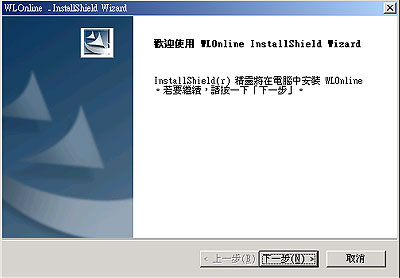
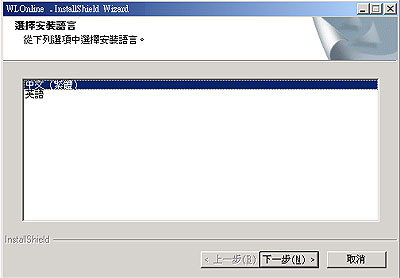
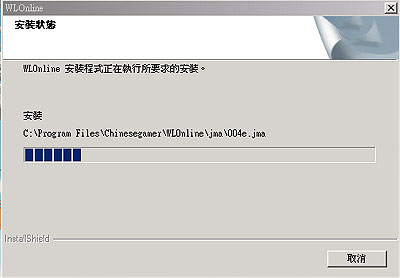
- Put the installation disk into CD-ROM, then
installation starts. If the installation didn't
start automatically, please click the setup.exe
file in CD-ROM.
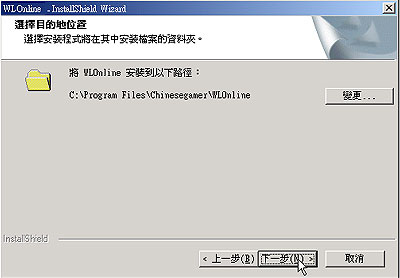
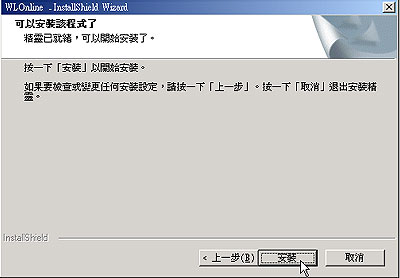
- Game server has pre-setting the installation
process for you, if you want to save to other
route, please click browse and click next button,
the system will start installation.
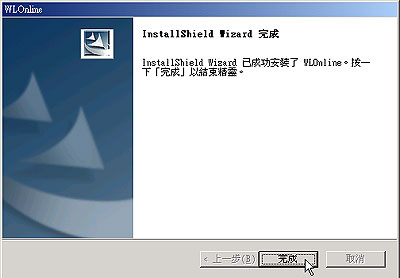
- After the installation, please click the 'WLonline'
on the desktop to start this game.
- When you open the game, the game will connect
your server and list updating items. Please
click 'begin' button to start update.
- When updating process finish, click ' begin
the game', read the contract and click agree
button. Choose the server you want to enter,
input your accounts, passwords and then create
a role to begin this game.
|
 |
|
|
|
|